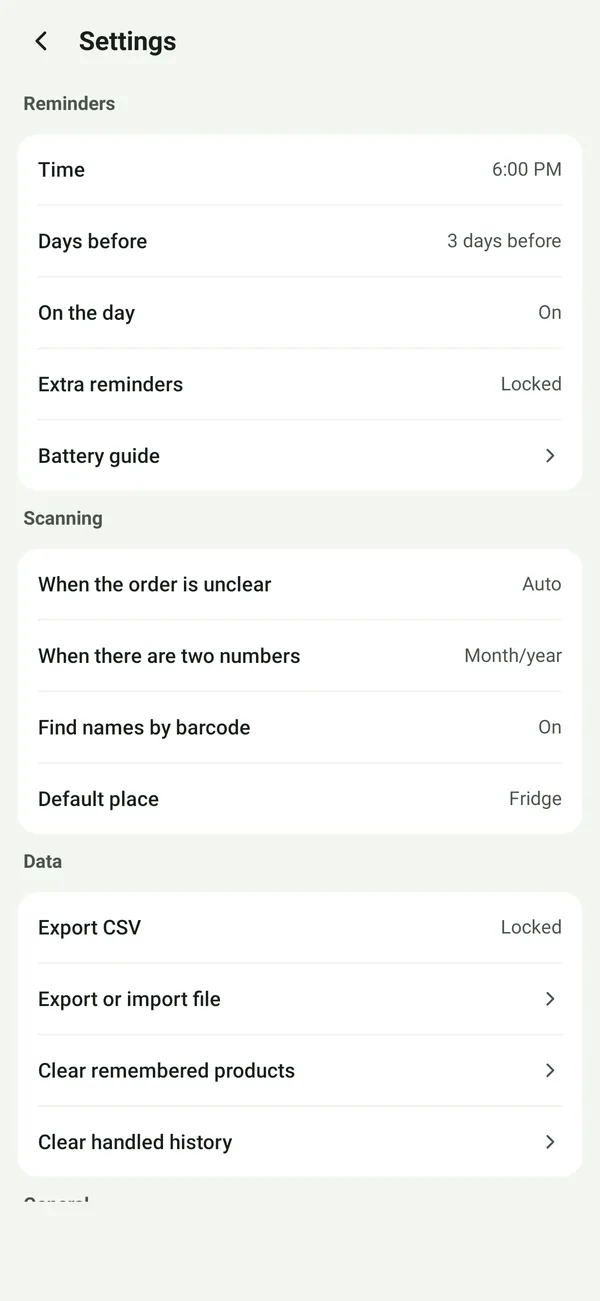
Scan the barcode for the name
Scan a product’s barcode and Eatnext fills in its name from Open Food Facts, a free, open food database. How many products it knows differs a lot by country; when it doesn’t find one, type the name once.

Eatnext: Food Expiry Tracker
One barcode, one date. No sign-up, just fast.
Know what to eat next in your fridge, freezer and pantry.
Get it on Google Play
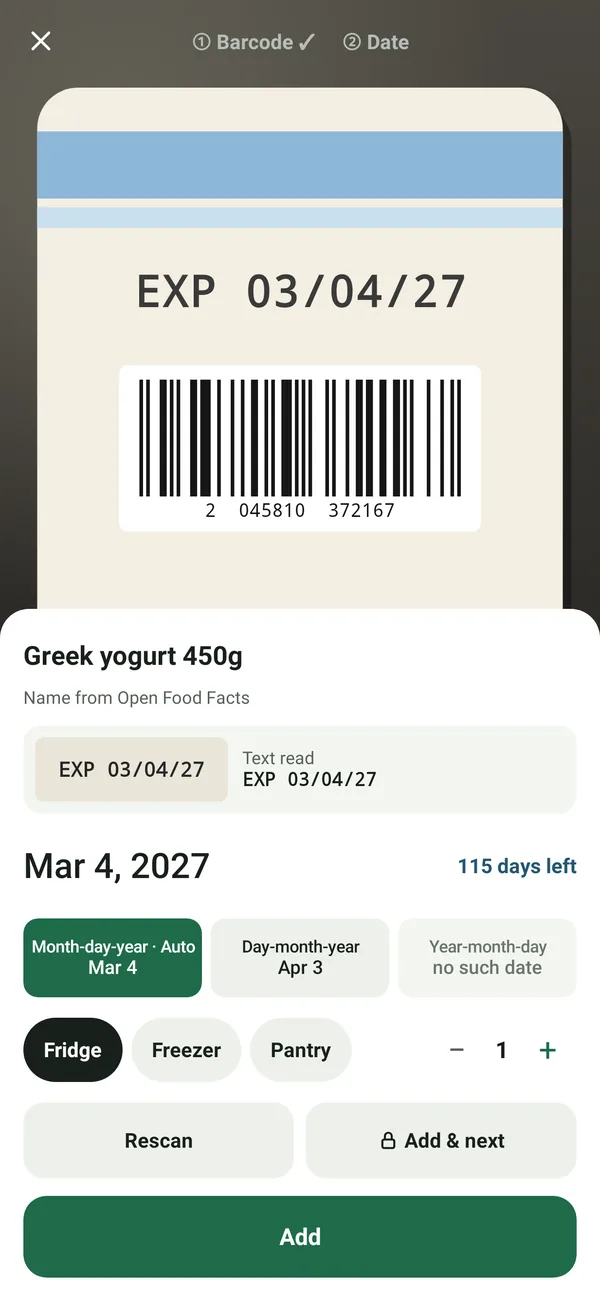
Scan a product’s barcode and Eatnext fills in its name from Open Food Facts, a free, open food database. How many products it knows differs a lot by country; when it doesn’t find one, type the name once.
Point the camera at the date on the pack. Eatnext shows you what it read before anything is saved, and you can correct it. A barcode never contains the expiry date, so the date always comes from the pack or from you.
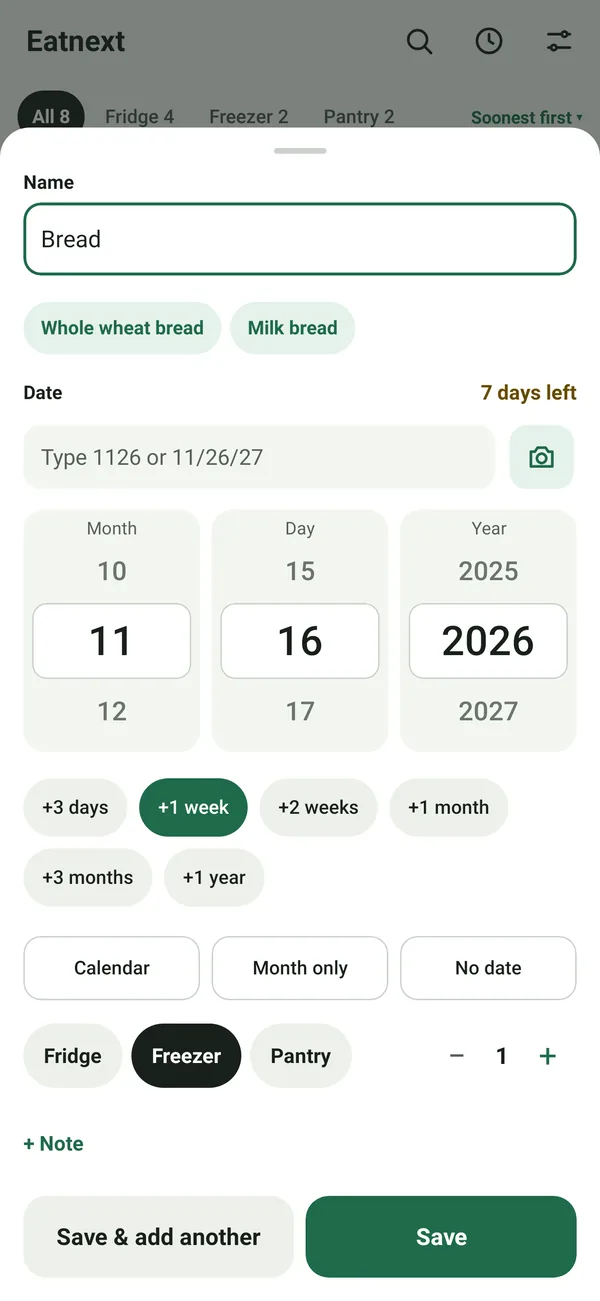
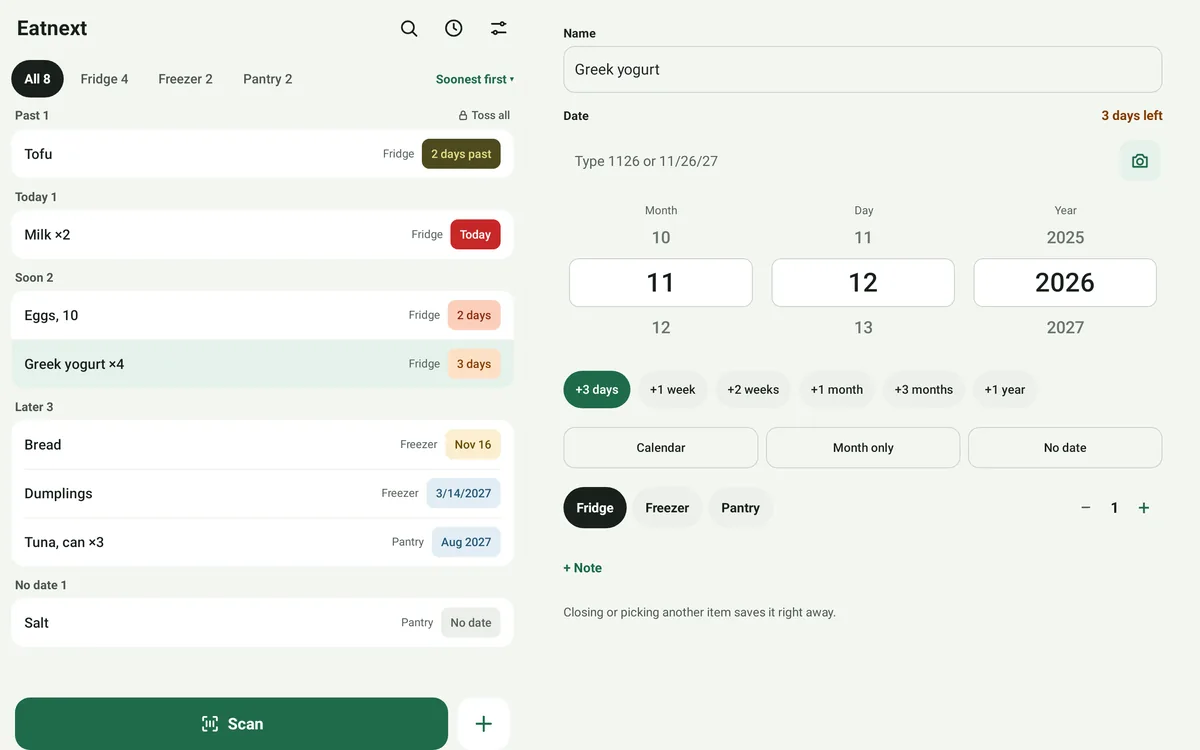
No date to scan? Pick +3 days, +1 week, +1 month and more, choose it on a calendar, or type it in. When a date could be read two ways, such as 03/04, you pick the order once and Eatnext remembers it for that product.
Products you add are remembered on your phone, so the next time you buy the same one it goes in faster.
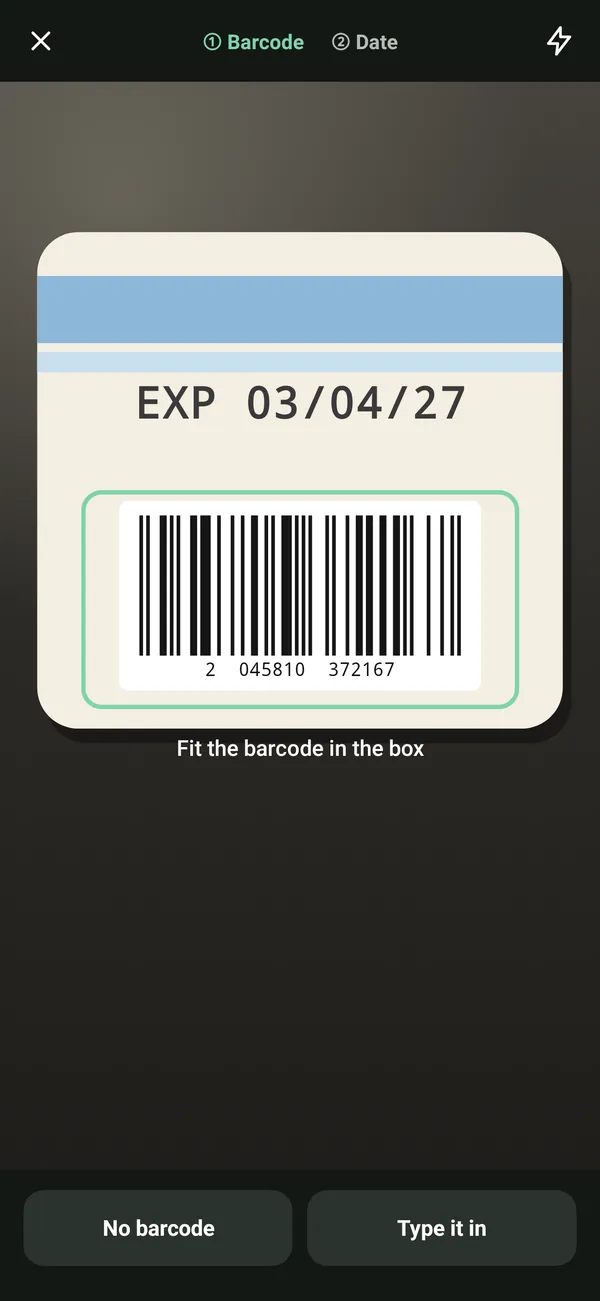
Your list puts what expires first at the top, grouped into past, today, soon and later, with tabs for all items and for each place. Search finds an item by name or note.
At most one notification a day, at the time you choose, and only when something is due: the number of days before that you pick, and the day itself.
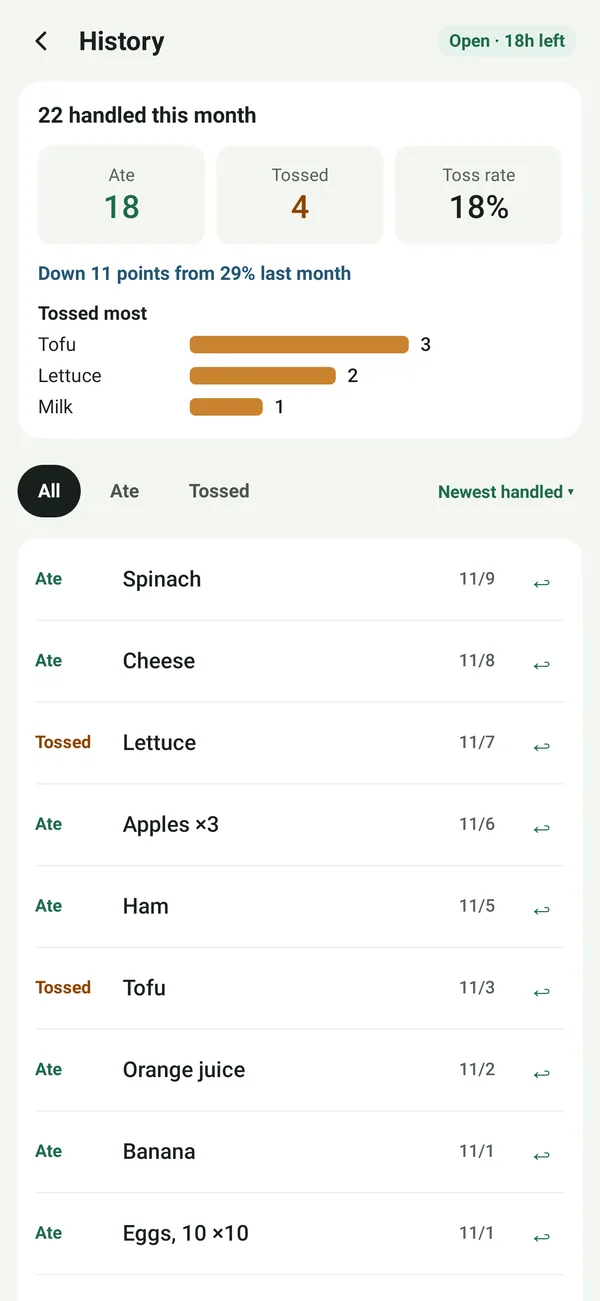
Mark food as eaten or tossed when it is gone. Changed your mind? Undo it, or find it again in your history.
Eatnext is free with a banner ad. The free list holds up to 50 items, and eating or tossing one frees its spot. The camera reads dates 5 times a day, and typing a date is always free. When you want more, watch an optional ad for more date readings today, more spots on your list for a few days, or 24 hours of extra features such as continuous scanning, bulk editing, more sort orders, extra reminders, monthly stats and CSV export.
No. A barcode identifies the product, not its date. Eatnext reads the date printed on the pack with your camera, or you enter it, and you always see it before it is saved.
No. There is no sign-up and no server of ours. Your list stays on this phone.
When you scan a barcode it hasn’t seen before, Eatnext asks Open Food Facts for the product name, sending the barcode number. You can turn off Find names by barcode in Settings and type names instead. Ads also use the internet. Your list is never sent.
No. It remembers the date on the label and shows how many days are left or have passed. It does not judge whether food is safe; follow the label and food-safety guidance.
Scanning, product names, reminders and a list of up to 50 items, with 5 camera date readings a day; typing a date is always free. Optional ads add more date readings for the day, more list spots for a few days, or extra features for 24 hours. A banner ad shows on the list, history and settings screens.
Export your list as an .eatnext file and import it on the new phone; importing merges without duplicates. Android’s backup does not include your list.
Tap Settings › About › Report a problem and pick your email app in the share sheet. A diagnostic log is attached; it leaves out product names, barcodes and notes, and nothing is sent until you send the email yourself.