Records are stored encrypted on your phone and are not sent to us.
Ads never get your health records.
Screens
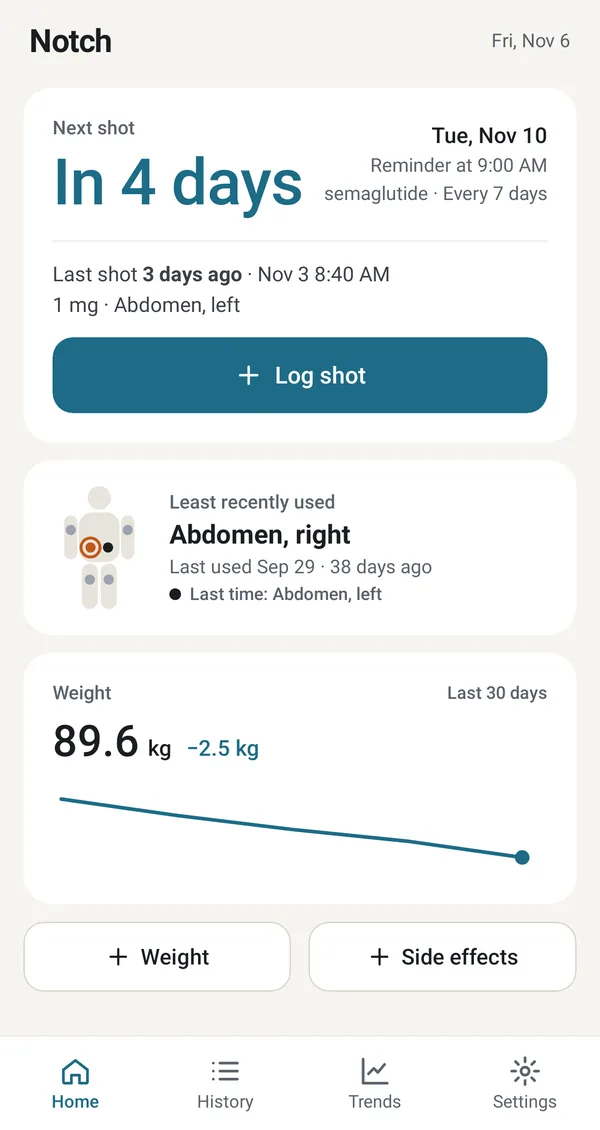
Your next shot at a glance
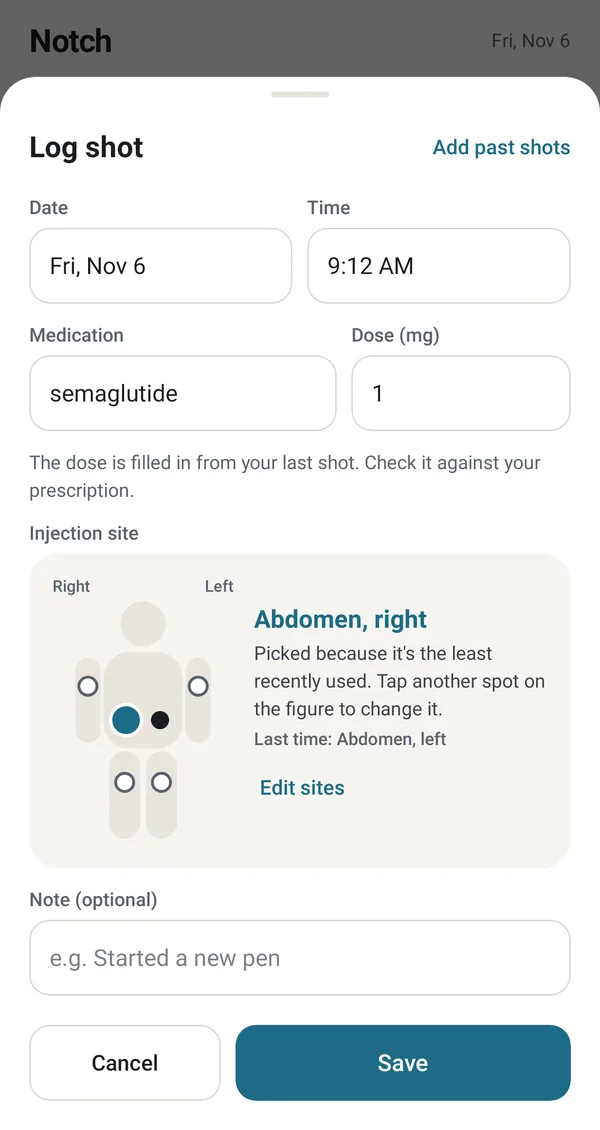
Log a shot in seconds
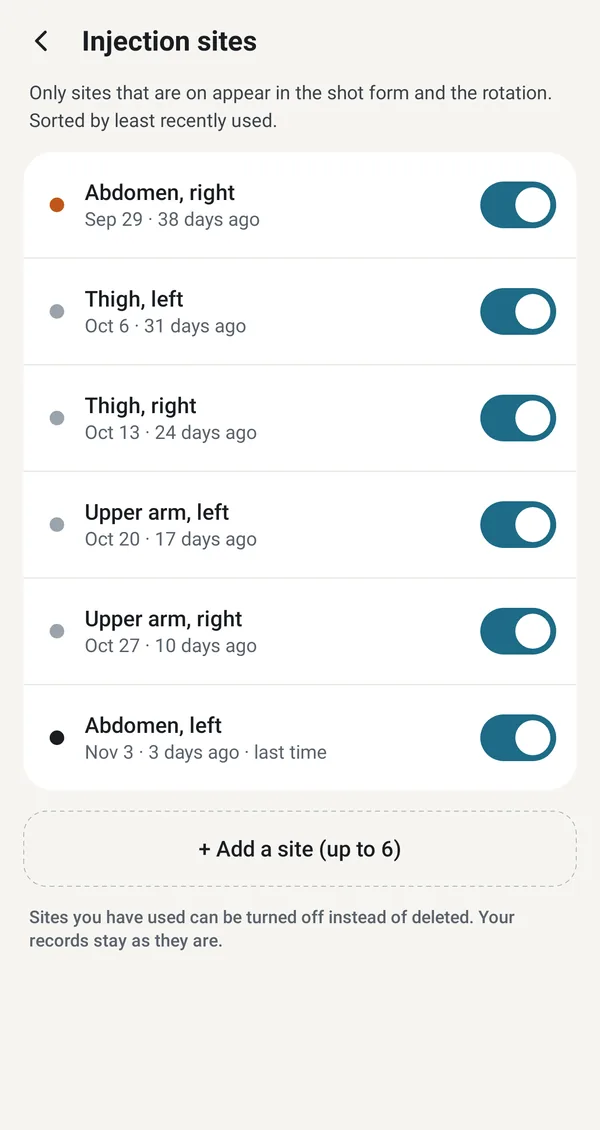
Injection sites, least recently used first
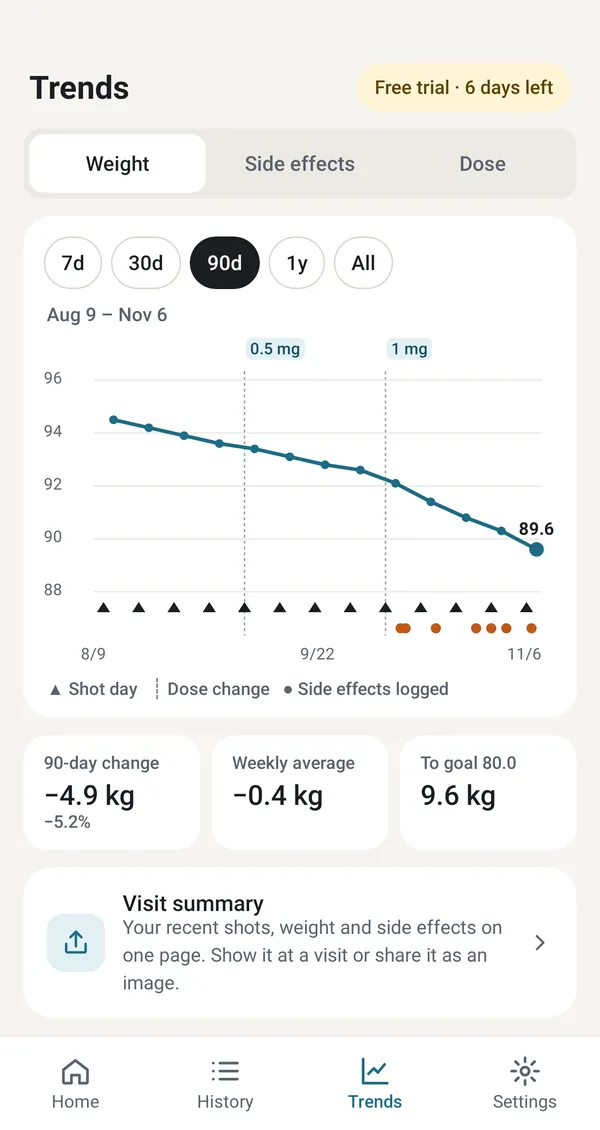
Weight with shot days and dose changes (90 days with an unlock)
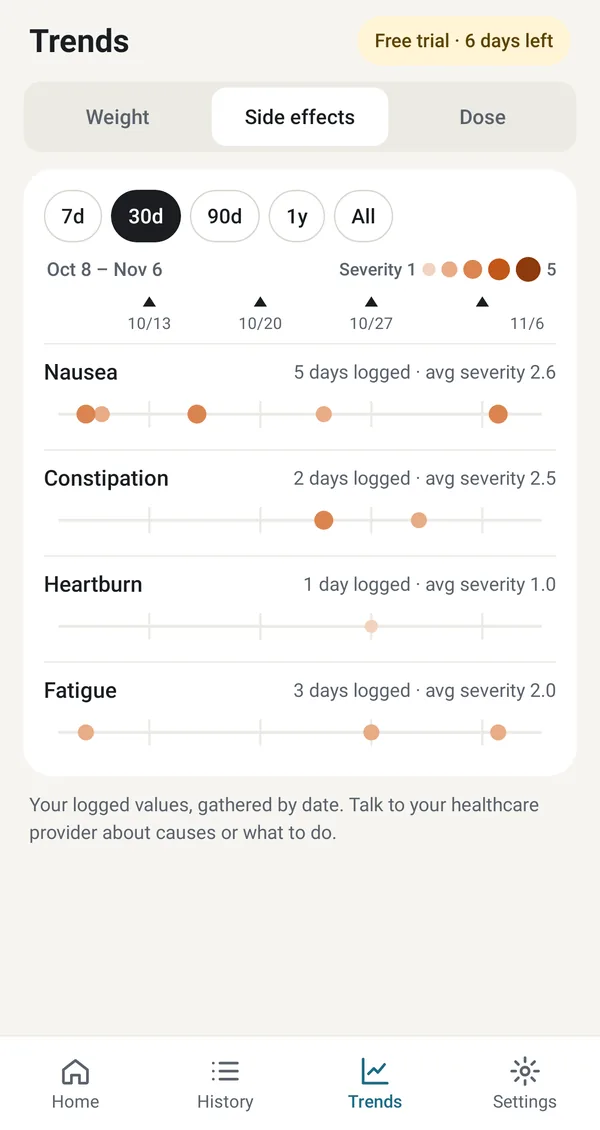
Side effects, day by day (with an unlock)
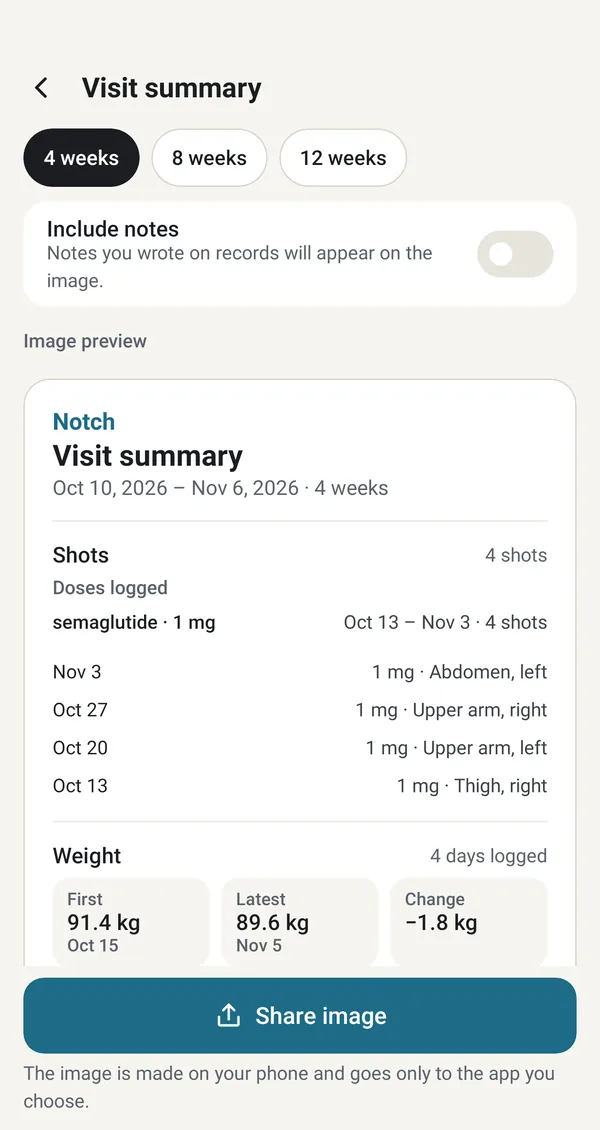
Your recent log on one page, ready to share (with an unlock)
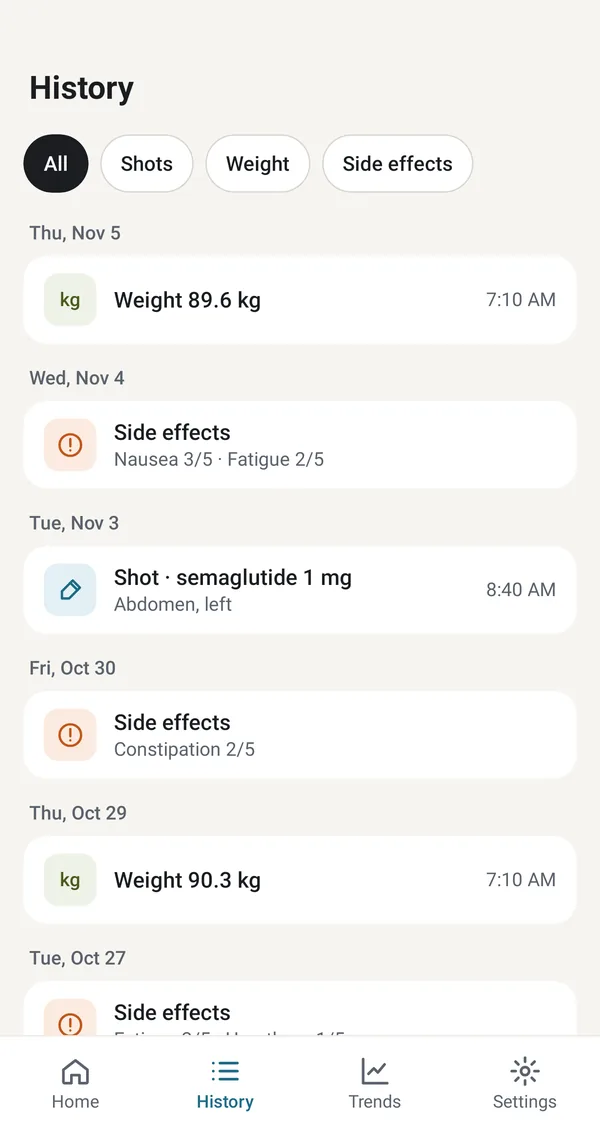
Your whole history, filtered by type
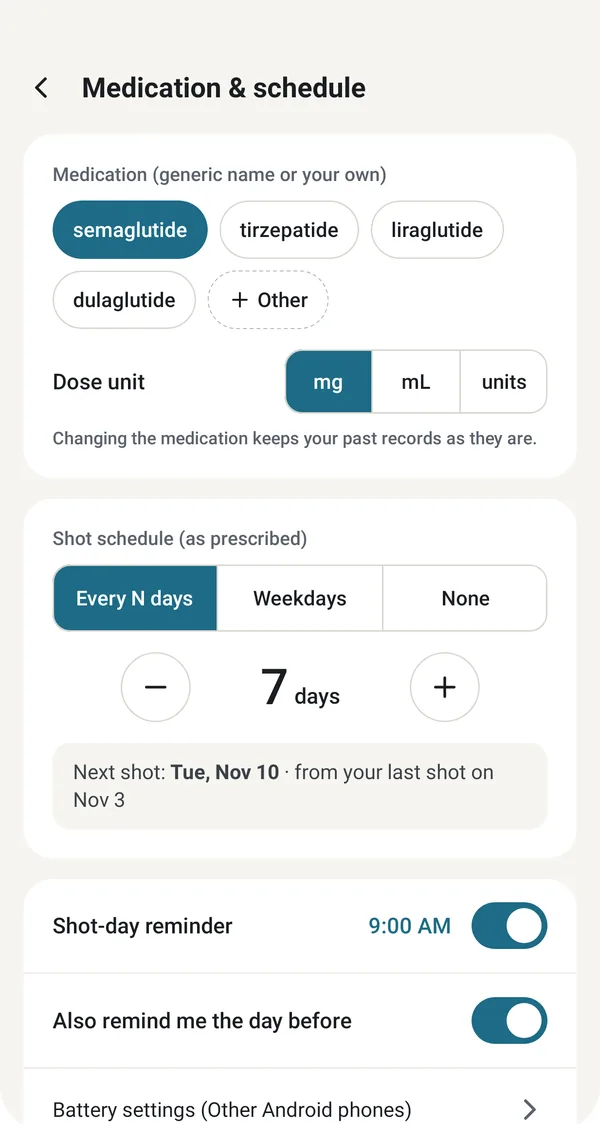
Your schedule as prescribed, with reminders
How it works
Log a shot in seconds
Record the date and time, medication, dose (mg, mL or units), injection site and a note. The dose is filled in from your last shot, so a routine shot takes a couple of taps; check it against your prescription. Starting mid-treatment? Add your past shots in one go.
Your schedule and reminders
Enter your schedule as prescribed: every few days or on chosen weekdays. Home shows when your next shot is due. Notch reminds you on shot day, and the day before if you like, and you can log the shot right from the notification. The notification never names your medication.
Injection site rotation
Pick the site on a body map: abdomen, thighs and upper arms, left and right. Notch highlights the site you used least recently and selects it for you. Add your own sites or turn off the ones you don’t use.
Weight and dose periods
Log your weight in kg, lb or stones and pounds and set a goal. The weight graph marks shot days and dose changes and shows the change over the period and the weekly average. Dose periods group your log by dose, with the shots and the first and last weight of each period.
Side effects, day by day
Note side effects such as nausea, fatigue, heartburn or constipation, each with a severity from 1 to 5 and a note, and see on which days each one was logged.
A visit summary to show or share
Put your shots, doses, weight and side effects from the last 4, 8 or 12 weeks on one page. Show it at your appointment, or share it as an image made on your phone with the app you choose. Notes appear on it only if you turn on Include notes. Open during the trial or with the 24-hour unlock.
Private by design
No account. Your records are kept in the app’s private storage, encrypted with a key protected by your phone’s keystore, and are not sent to us. Notch uses the internet only for ads and Google’s consent form. Android’s own backup to your Google account can bring your records back on a new phone.
Free, with a 24-hour unlock
Every feature is open for your first 7 days. After that, logging and reminders stay free. When you want more, watch one optional ad to open longer weight graphs, side-effect trends, dose periods and the visit summary for 24 hours. Banner ads still show during the trial and the unlock.
Free
Log shots, weight and side effects
Shot-day reminders, and the day before if you like
Any injectable GLP-1 medication. Pick semaglutide, tirzepatide, liraglutide or dulaglutide, or type your own name. Notch is not affiliated with any medication maker.
Does Notch tell me what dose to take?
No. Notch is a personal log, not a medical device. It does not calculate, recommend or adjust doses and does not interpret your records. Always follow your healthcare provider’s instructions.
Where are my records kept?
On your phone, encrypted, in the app’s private storage. There is no account and we never receive your records. They are never given to the ad SDK.
What happens when I get a new phone?
If Android backup is on, Android can include your records in your own Google account backup and restore them when you set up the new phone. That backup is between you and Google; we cannot read it.
What is free, and what does the 24-hour unlock open?
Everything is open for your first 7 days. After that, logging, reminders, site rotation, your full history and the 7- and 30-day weight graphs stay free. Watching an optional ad to the end opens longer weight graphs, side-effect trends, dose periods and the visit summary for 24 hours; another ad adds 24 hours, up to 48 hours left, and you can watch up to 2 in any 24 hours.
Will a reminder show my medication on the lock screen?
No. The notification never names your medication; it only says that it is shot day, or that shot day is tomorrow.
How do I report a problem?
Tap Settings › About › Report a problem and pick your email app in the share sheet. A diagnostic log is attached; it leaves out medication names, doses, weights, symptoms and notes, and nothing is sent until you send the email yourself.
Details
Platform
Android 8.0 or later, phones and tablets (tablets also in landscape)