Trips by date, nights out by round
A trip keeps its expenses on a calendar, day by day. A night out goes round by round: dinner, then drinks, then karaoke. For a single bill, enter just the amount and the number of people.

Squared: Split Bills, Expenses
Split the bills. End up all square.
Trips by calendar date, nights out round by round. No sign-up needed.
Get it on Google Play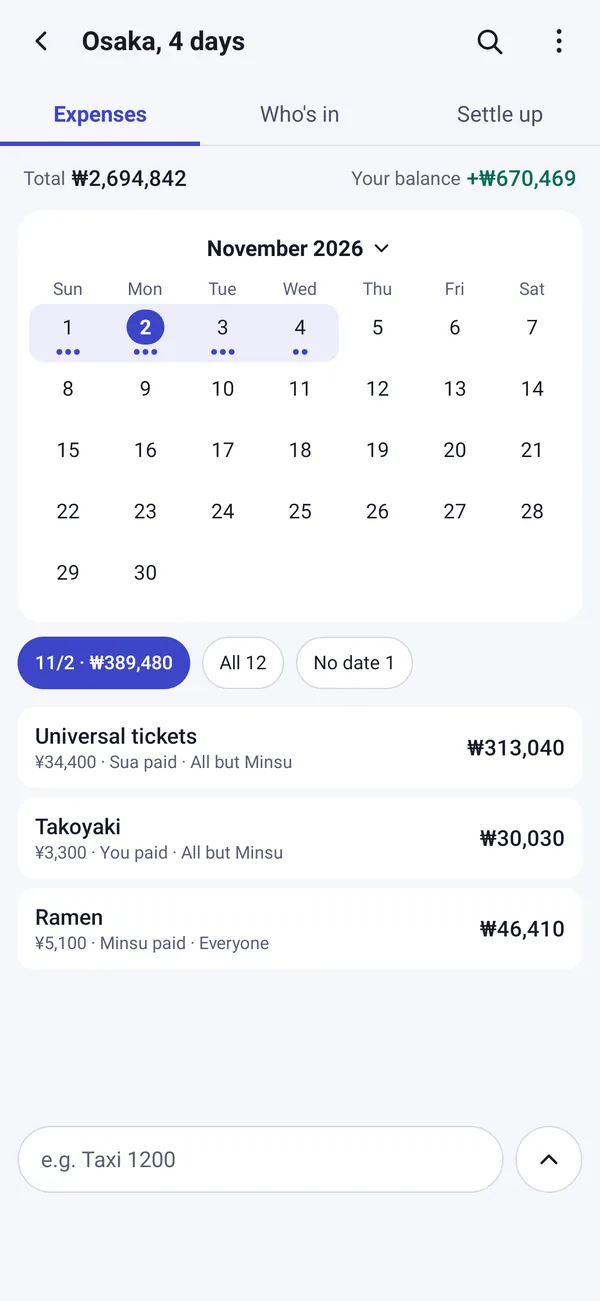
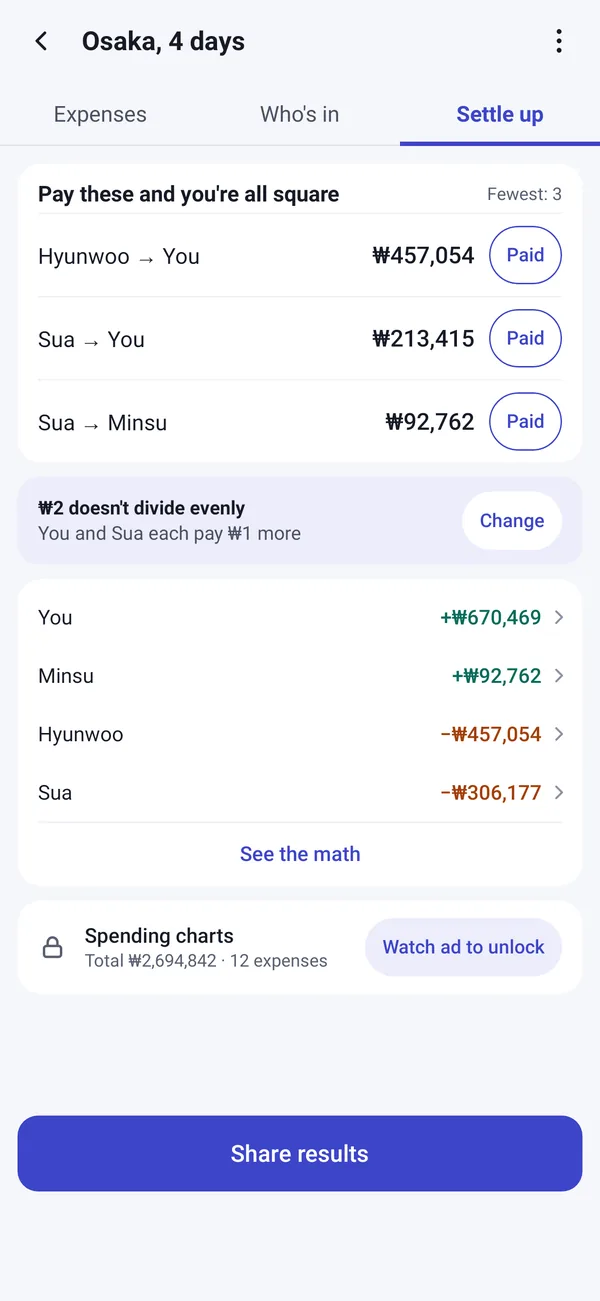
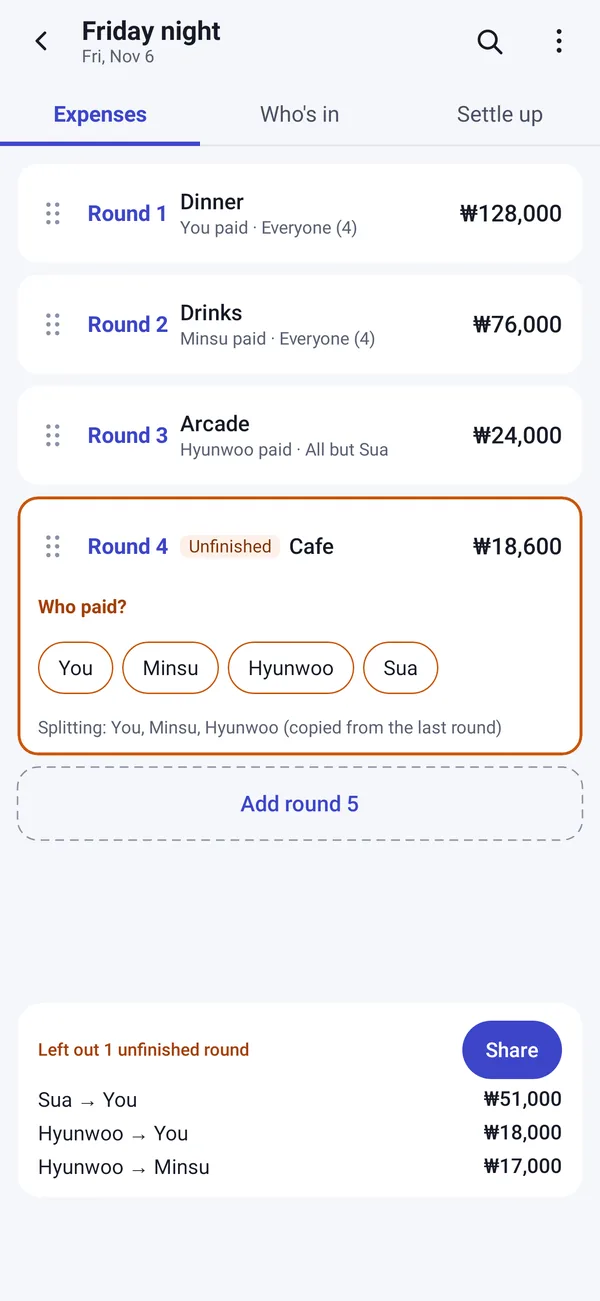
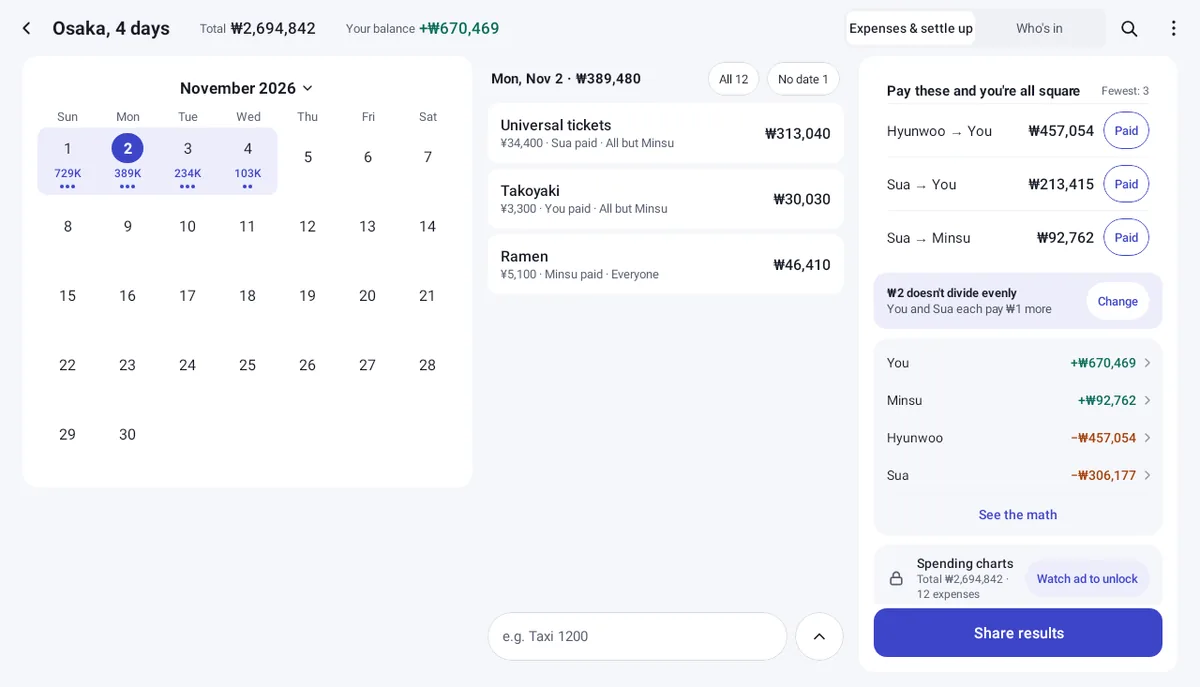
A trip keeps its expenses on a calendar, day by day. A night out goes round by round: dinner, then drinks, then karaoke. For a single bill, enter just the amount and the number of people.
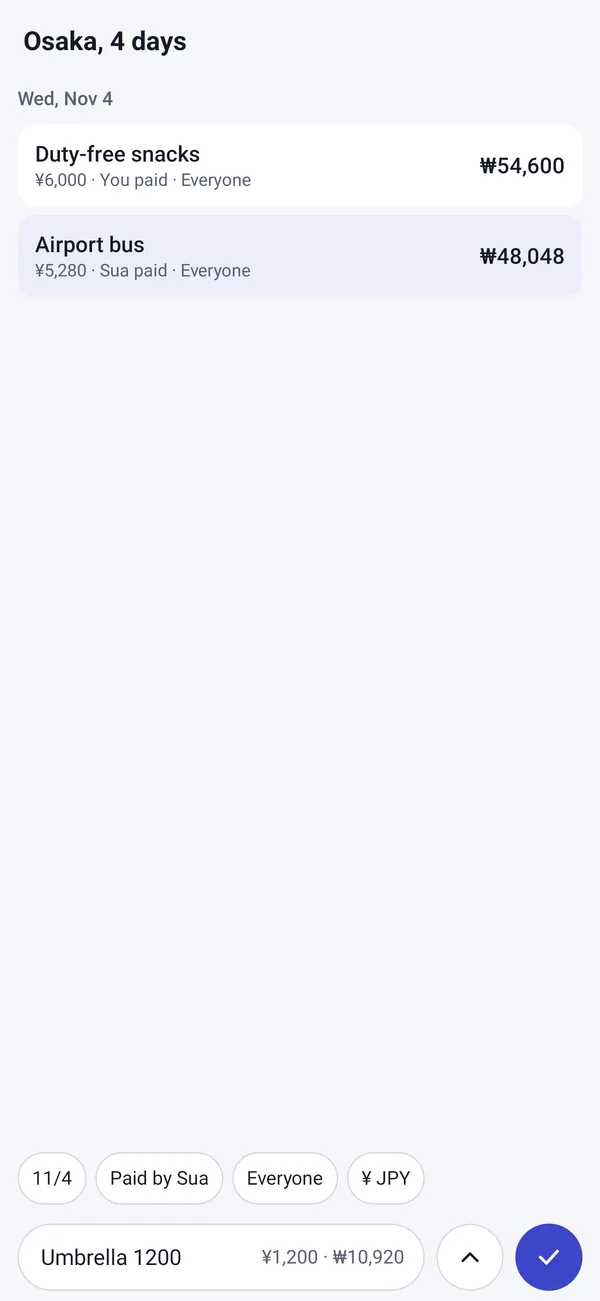
Type “Taxi 1200” and it is added. Enter several expenses at once, and add anything you forgot later, on its own date.
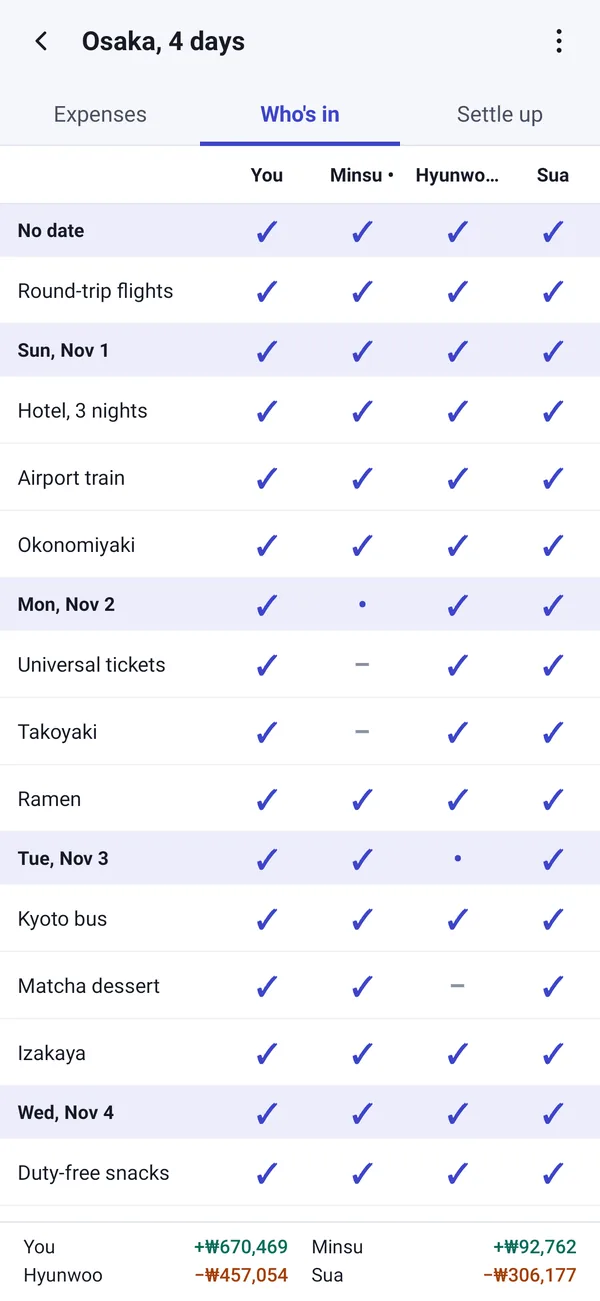
One screen shows every expense and every person. Tap to take someone out of an expense or put them back. When someone joins late or leaves early, a helper updates the expenses from that day on.
Squared works out the fewest payments that settle everyone up. See the math shows why each amount is what it is.
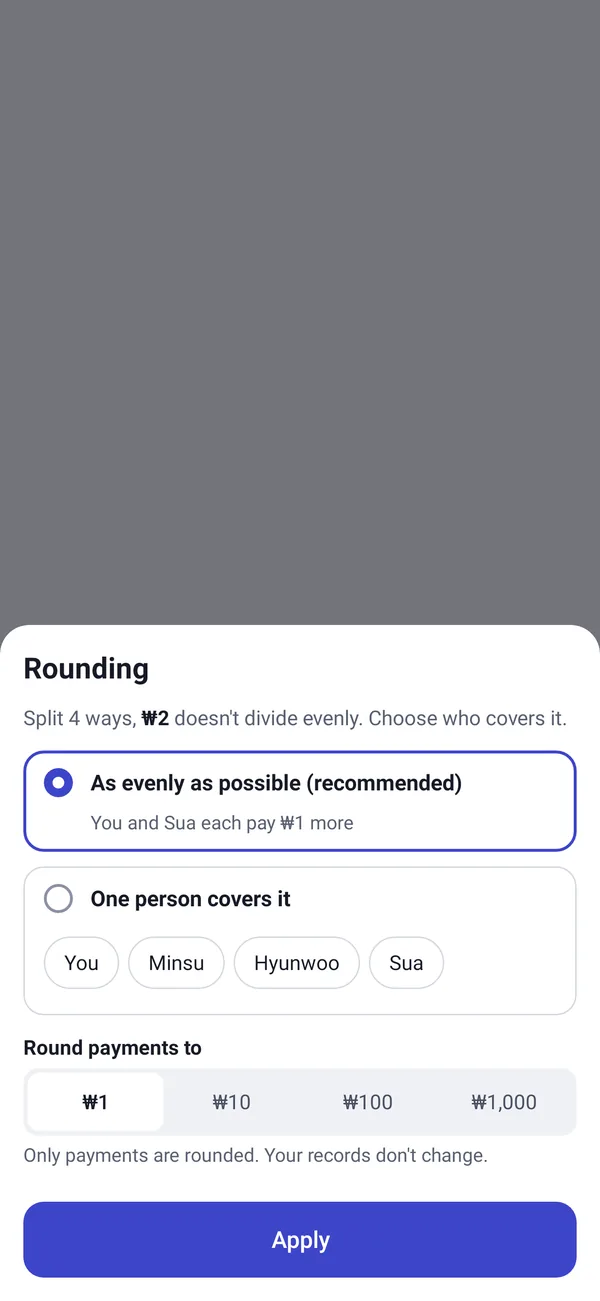
When a bill doesn’t split evenly, Squared spreads the leftover as evenly as possible across the whole total and shows what it did in the settlement. If you’d rather, hand it to one person in a tap.
Each group has its own exchange rates. Enter a rate yourself, or set one for a single expense, such as the amount your card was charged.
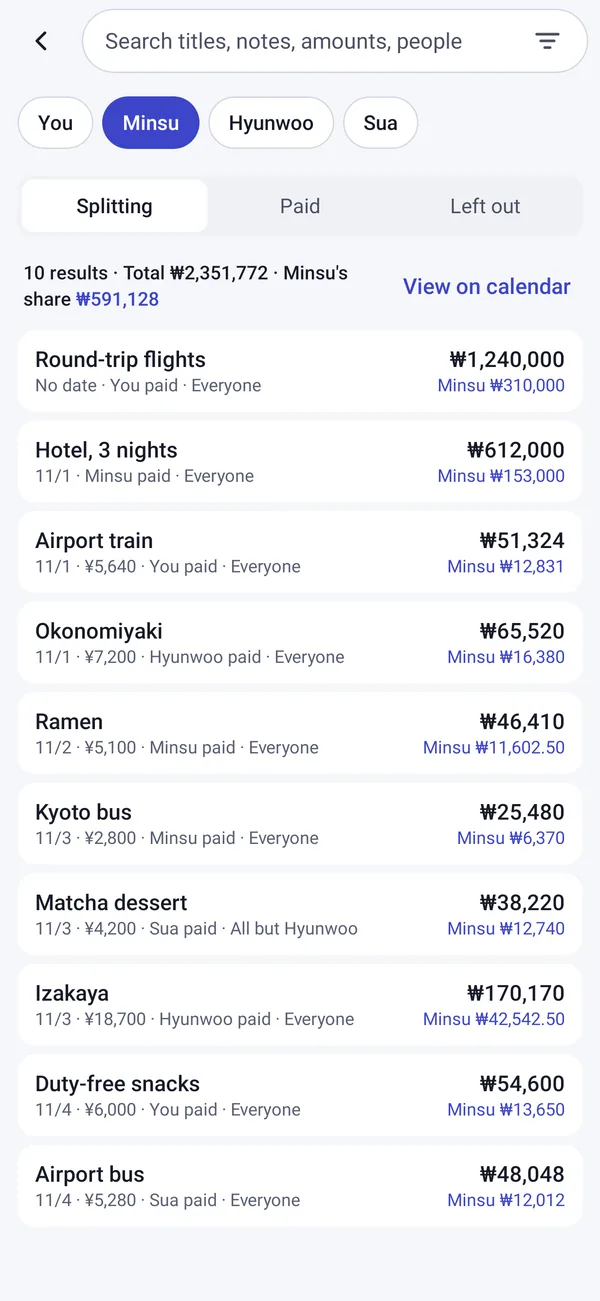
Attach photos of receipts to an expense; they are kept inside the app. Search titles, notes, amounts and people, or pick a person to see what they split, paid or were left out of. Change the date, who paid, who splits, the category or the currency of many expenses at once.
Share the result as text or a CSV file. Send the whole group as a .squared file; whoever opens it can import it or merge it with their own copy.
Squared is free with a banner ad. Each group holds up to 30 expenses and 10 photos for free. Rate fill-in and spending charts are locked; watch one optional ad to open them for 24 hours, up to 2 ads a day.
No. One person can enter everything on one phone and share the result as text. If others use Squared too, send them the group as a .squared file.
No. There is no sign-up and no server of ours. Your groups, expenses and photos stay on your phone.
It works out the fewest payments that settle everyone up. Tap See the math to see how each balance and each payment was worked out.
Squared spreads the leftover as evenly as possible across the whole total and shows what it did in the settlement. You can have one person cover it instead.
Yes. Each group has its own rates: enter a rate yourself, or set one for a single expense. With the 24-hour unlock, Fill in rate looks up the rate for you.
Android’s backup does not include your groups, expenses or photos. Before you switch, send each group to yourself as a .squared file and import it on the new phone (Settings › Import group file).
Entering, splitting, settling up and sharing, with up to 30 expenses and 10 photos in each group. Rate fill-in and spending charts open for 24 hours when you watch an optional ad, up to 2 ads a day. A banner ad shows at the bottom of the screen.
Tap Settings › Report a problem and pick your email app in the share sheet. A diagnostic log is attached; it leaves out names, amounts, titles and notes, and nothing is sent until you send the email yourself.