A deep work timer marks off one long block of single-task focus, often 50 or 90 minutes, and rings when the block is over so you never have to check the clock. To use one, pick a single demanding task, silence your phone and put it out of reach, start the timer, and work only on that task until it rings. Then take a real break before the next block.
That is the whole method. The hard part is keeping the block intact: a message, a glance at the phone or a colleague’s “quick question” can break it in seconds. This guide covers how long to make each block, how to protect it before and during the session, how to take breaks, and how to set it up on an Android phone so the timer still rings with the screen off.
What a deep work timer is for
A timer turns “I’ll focus this morning” into a block with a clear start and a clear end. Cal Newport, who popularized the term in his book Deep Work, defines deep work as “the act of focusing without distraction on a cognitively demanding task.” Writing, coding, analysis, studying hard material and design work usually fit. Email and scheduling usually don’t.
The timer does three jobs. It tells you when to start, so the block doesn’t drift. It takes over the clock, so you aren’t glancing at the corner of the screen every few minutes. And it gives the work a deadline.
That last part may matter more than it sounds. In two experiments by Sophie Leroy (2009), described by the British Psychological Society’s Research Digest, people who finished a first task under time pressure showed fewer signs that their attention was still stuck on it, and did better on the next task than people who had no deadline or didn’t finish. Leroy’s explanation is that finishing under time pressure gives a sense of closure, which lets you move your focus fully to the next thing. The studies used undergraduates, word puzzles and CV appraisals, not real projects. Take them as a reason to try a time limit, not as proof that a timer makes you more productive.
How long a deep work block should be
Start with 50 minutes of focus and a 10-minute break, then move to 90 and 20 once you regularly reach the end of a block still on task. We found no study that sets one correct length. 90 minutes is a popular rule of thumb, not a measured limit that fits everyone.
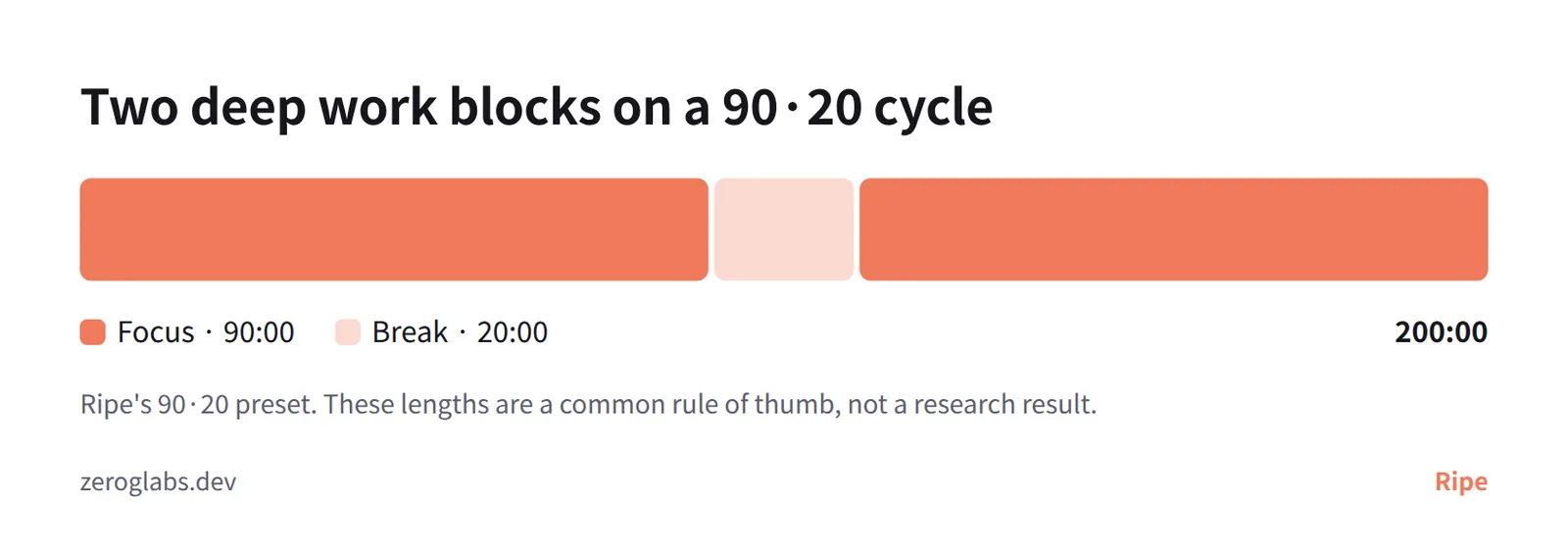
Your own sessions are the best guide. Watch for two signs over a week or two:
- Too short: the timer often rings while you are mid-thought, and the first 10–15 minutes of every block feel like warming up again.
- Too long: by the last part of the block you are rereading the same paragraph, or you keep stretching the break because starting again feels hard.
If you work in 25-minute Pomodoros now, 50 minutes is usually the easier step up. Our comparison of 25/5 vs 50/10 Pomodoro explains which kinds of tasks suit each. One or two long blocks a day is a realistic start. Add another only when the ones you have hold up.
Protect the block before you start
Most of the protection happens before the timer starts: decide on the task, then get the phone and the notifications out of the way.
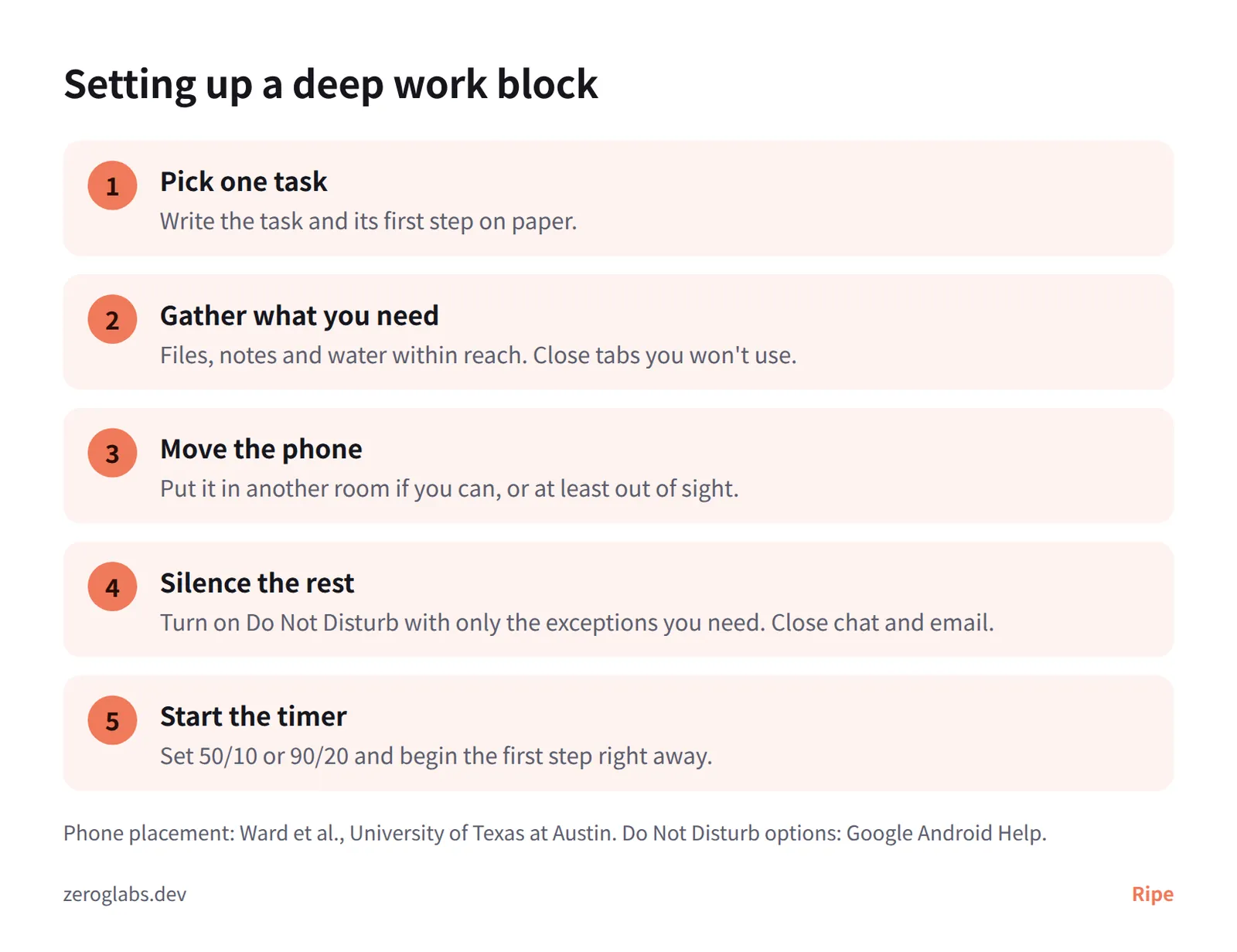
Small interruptions cost more than their length. In a study by Erik Altmann and colleagues at Michigan State University, 300 people did a step-by-step task on a computer. An interruption of about 2.8 seconds, just long enough to type two letters, made them twice as likely to lose their place in the sequence. Altmann’s advice was to turn off phones before entering a critical phase of work.
Even a silent phone can pull at your attention. In experiments by Adrian Ward and colleagues at the University of Texas at Austin, with nearly 800 smartphone users in all, people whose phones were in another room did significantly better on concentration tests than people whose phones sat face down on the desk, and slightly better than those with phones in a pocket or bag. Whether the phone was on or off, face up or face down, made no difference. These were short lab tests, but moving the phone to another room costs nothing.
If you can’t leave the phone in another room, because it runs your timer or you must be reachable, use Do Not Disturb. According to Google’s Android Help, Do Not Disturb lets you choose which people, apps and alarms can still get through, and you can allow repeat callers so that a second call within 15 minutes rings through. If you care for someone or are on call, set those exceptions first. No focus block is worth missing an emergency.
During the block: what to do with interruptions
When something pulls at you during a block, write it down and go back to the task. Deal with it in the break. Keep a sheet of paper or a text file next to you for “check the flight price”, “reply to Sam” or the idea for another project. Writing it down is often enough to stop it from going round in your head.
Some interruptions can’t wait. Before you switch, take ten seconds to write down where you were and the very next step, such as “next: fix the loop in the export function.” Then pause the timer instead of letting it run, so the block still means what it says.
Do the same at the end of every block: write the next step for the next session. Leroy’s work suggests that an unfinished task can keep pulling at your attention after you move on, and a written next step gives your mind somewhere to set it down. That is practical advice, not something her experiments tested.
Breaks between deep work blocks
Take a real break between blocks, away from the screen and the inbox. Stand up, walk, get some water, look at something far away. Checking messages in the break is the quickest way to carry them into the next block.
Brief pauses inside a long block can help too. In a University of Illinois study by Atsunori Ariga and Alejandro Lleras (2011), 84 people did a repetitive 50-minute computer task. Most participants’ performance declined significantly over the task, but the group that briefly switched to another small task twice kept its performance steady. Lleras advised that for long tasks, “Brief mental breaks will actually help you stay focused on your task!” The task was a simple vigilance test, not writing or coding, so it doesn’t tell you the ideal break length. It does suggest that standing up for a minute in the middle of a 90-minute block is not a failure.
For break lengths when you study, see how long should study breaks be. And whatever the timer says, if your eyes, back or wrists hurt, stop and rest. No block is worth working through pain.
Setting up a deep work block in Ripe
Ripe, the focus timer we make for Android, covers each part of this method. On the times screen, pick 50·10 or 90·20 in one tap, or set your own focus and break lengths. A long break comes every few rounds.
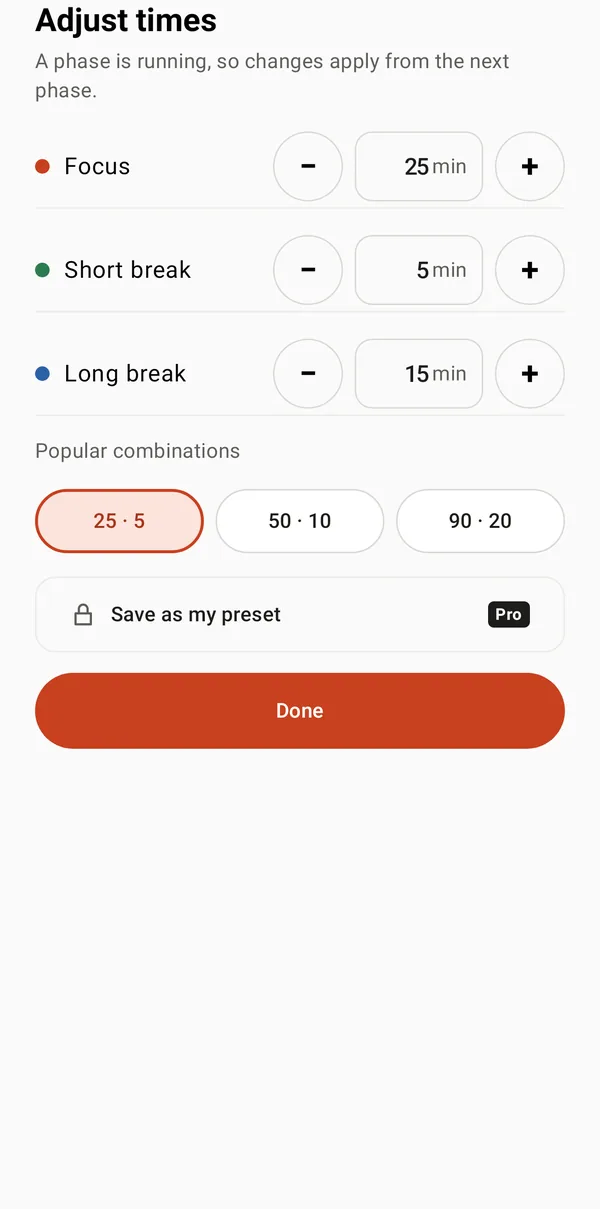
Ripe sets an exact alarm for the end of each phase, so it rings on time even with the screen off and the phone face down across the room. If you silence your phone for focus, turn on “Ring like an alarm” so you still hear the end of the block. Some phone makers limit apps running in the background, and the app has a guide for those phones.
A few settings help with long blocks:
- 1-minute warning: a short alert one minute before the phase ends, so you can finish the sentence and write down your next step.
- Notification controls: pause, add 5 minutes, skip or start the next phase from the notification, the Quick Settings tile or app shortcuts, without opening the app. Adding 5 minutes is handy when you are close to finishing a thought.
- Auto-start: leave it off if you want to choose when the next block begins, so a break doesn’t roll into focus before you are back at your desk.
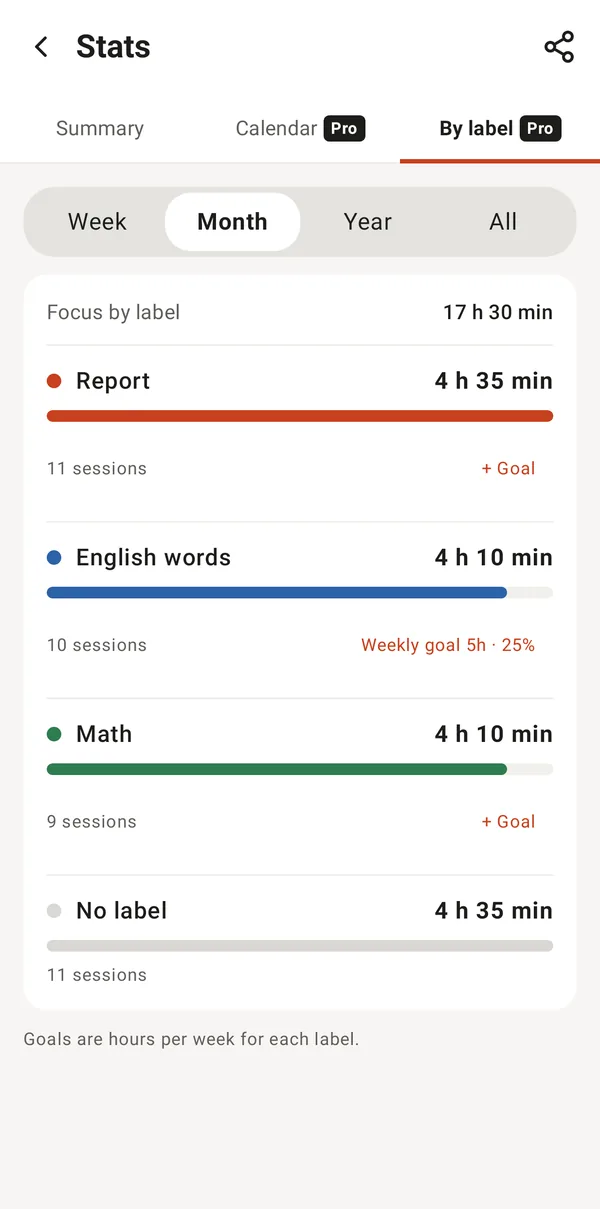
- Labels: add a label for the project you are focusing on, so the session is recorded under it.
With a pass, Ripe can also turn on Do Not Disturb during focus. You allow Do Not Disturb access once in Android settings. While focus runs, only priority interruptions get through, and when you pause, skip or finish, your previous mode comes back. If you already had Do Not Disturb on, Ripe leaves it alone. Priority interruptions are whatever you allow in Android’s Do Not Disturb settings, so set your exceptions there first. A pass also opens stats by label and weekly goals, which show how much focus time each project actually got. Passes come from optional ads: each ad watched to the end earns 1 point, up to 5 a day, and 3 points get a 1-day pass or 7 points a 3-day pass.

Common questions
How long should a deep work session be?
Most people do well starting at about 50 minutes and working up toward 90. No study sets a single right length, so treat 90 minutes as a rule of thumb. If the timer keeps cutting you off mid-thought, lengthen the block. If you fade well before the end, shorten it.
Is the Pomodoro Technique good for deep work?
The classic 25/5 Pomodoro helps you start a task you have been avoiding, but many people find that 25 minutes ends just as they settle in. Longer cycles such as 50/10 or 90/20 keep the same structure with fewer restarts. You can switch between them depending on the task.
How many hours of deep work can you do a day?
We couldn’t find a measured daily limit that applies to everyone. Begin with one or two blocks a day, keep them protected, and add more only while the quality holds. One truly focused block is worth more than several half-distracted ones.
Should I put my phone in another room during deep work?
If you can, yes. In the University of Texas experiments, people whose phone was in another room did better on concentration tests than people whose phone was on the desk, even when it was off or face down. If you need the phone nearby, silence it with Do Not Disturb and allow only the calls you must take.
What should I do if I get interrupted during a deep work block?
If it can wait, add it to your list and go back to the task. If it can’t, write down where you were and your next step, pause the timer, and deal with it. When you come back, read the note and resume the timer instead of starting over.